
Choosing the right UCaaS provider isn’t just about comparing technical features; it’s about transforming communication and collaboration. The best platforms unify calls, messages, and meetings while streamlining workflows and boosting productivity. They scale easily, whether you’re supporting a small team or a global workforce.
RingCentral is the best UCaaS provider overall because it delivers the strongest combination of business calling, video meetings, AI assistance, and integrations on a single, scalable platform. Its advanced routing, analytics, and management tools make it especially well suited to growing, distributed, and multi-location organizations.
However, the right provider depends on how your business communicates. Nextiva stands out for digital customer engagement, Ooma offers an approachable setup for small teams, Zoom supports video-first collaboration, 8×8 serves organizations with international calling needs, and Dialpad brings AI directly into everyday conversations and follow-up. Below, I compare each provider’s pricing, features, and ideal use case.
- Best UCaaS provider overall: RingCentral
- Best for digital customer engagement: Nextiva
- Best for easy DIY setup: Ooma
- Best for videoconferencing: Zoom
- Best for international calls: 8×8
- Best for AI-powered communication: Dialpad
Comparing the best UCaaS providers
UCaaS providers differ in how well they adapt to the unique needs of small teams or complex enterprise environments. Some excel at integrating with essential tools, while others focus on simplicity and ease of use. For industries requiring strict compliance, versatile security and data management features can set certain platforms apart.
Here’s a quick overview of the best UCaaS solutions on the market.
|
|||
|
|||
|
|||
|
|||
|
|||
|
RingCentral: Best UCaaS provider overall
Why I chose RingCentral

I chose RingCentral as the best UCaaS provider overall because it offers the strongest combination of business calling, video meetings, team messaging, AI assistance, administration, and integrations. Businesses can consolidate phone, text, fax, chat, and video communications into a single cloud-based platform while connecting RingCentral to more than 500 business applications.
RingCentral is especially well suited to growing, distributed, and multi-location organizations that need advanced call routing, multi-level IVR, call queues, monitoring, analytics, and centralized administration. Reviews often note that it requires more setup and management than simpler business phone systems, but that additional depth gives organizations more flexibility as their communication needs become more complex.
Read our RingCentral review for more details.
Pricing
- Core: Starts at $20/user/month billed annually, or $30/user/month billed monthly
- Advanced: Starts at $25/user/month billed annually, or $35/user/month billed monthly
- Ultra: Starts at $35/user/month billed annually, or $45/user/month billed monthly
- Free trial: 14 days
Key features
- Voice, video, team messaging, SMS, fax, and conferencing.
- AI Assistant for summaries, transcripts, notes, and action items.
- Multi-level IVR and advanced call routing.
- Call queues, call recording, and call monitoring.
- 500+ integrations and open APIs.
- Mobile and desktop apps for remote and hybrid teams.
- Admin controls, analytics, and reporting dashboards.
Pros and cons
Pros
- Strong all-in-one UCaaS platform
- Includes AI, analytics, and advanced call management
- Large integration ecosystem
- Scales well for remote, hybrid, and multi-location teams
- 14-day free trial available
Cons
- Can be complex for smaller teams
- Costs more than simpler phone systems
- Some add-ons increase total cost
Nextiva: Best for digital customer engagement
Why I chose Nextiva

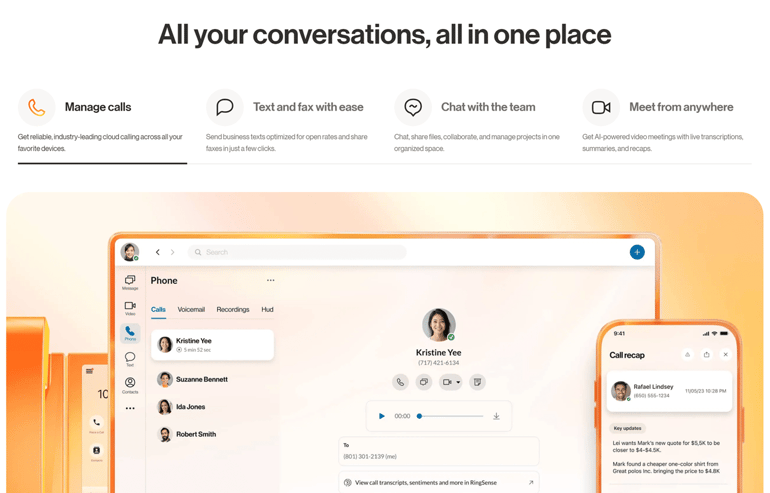
I chose Nextiva for digital customer engagement because it connects business communications with customer-facing workflows. It is a strong fit for teams that want voice, messaging, video, customer conversations, analytics, and digital engagement tools in one system.
Nextiva is also best for businesses that want UCaaS to support sales, service, and customer experience rather than just internal collaboration. Smaller teams can use its core calling and routing tools, while larger teams can expand into more advanced customer engagement and analytics features.
Read our Nextiva review to learn more about everything the company offers.
Pricing
- Core: Starts at $15/user/month, billed annually
- Engage: Starts at $25/user/month, billed annually
- Scale: Starts at $75 per user per month, billed annually
Key features
- Voice, video meetings, SMS, and team messaging on every plan.
- Voicemail transcription and mobile and desktop apps.
- Auto attendant, call routing, and team collaboration tools.
- Live chat, call recording, online fax, and advanced reporting with Engage.
- Unified customer conversation history and analytics.
- AI transcription, call summaries, and answer assistance with Scale.
- Skills-based routing, supervisor monitoring, and journey orchestration with Scale.
- Up to 99.999% uptime and 24/7 customer support.
Pros and cons
Pros
- Combines UCaaS with customer engagement tools
- Useful analytics and communication workflows
- Supports customer conversations across multiple channels
- Scales into more advanced packages
Cons
- CRM integrations are offered as add-ons
- Not as straightforward as basic UCaaS providers
Ooma: Best for easy DIY setup
Why I chose Ooma

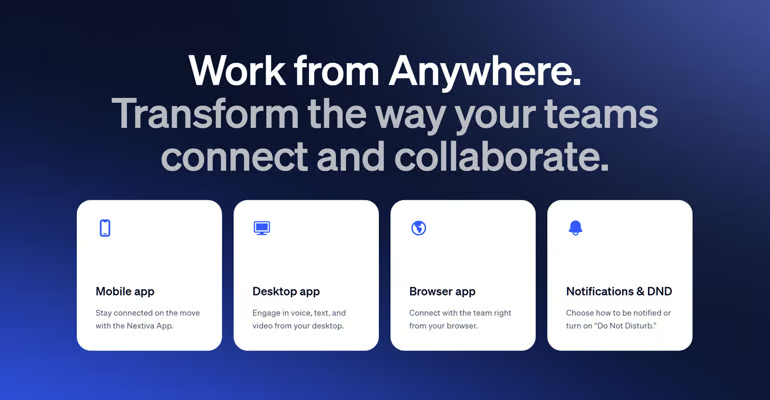
Ooma is my pick for an easy DIY setup because it gives small businesses a straightforward way to launch cloud calling, virtual receptionist tools, extensions, and mobile access without a complicated deployment process. It is a practical option for offices and small teams that want reliable business phone service without a heavy administrative lift.
With that said, Ooma is less advanced than RingCentral, 8×8, or Dialpad, but that simplicity is part of its value. It works best for teams that primarily need voice, texting, voicemail, basic routing, and office-friendly phone features rather than a full enterprise communications suite.
Read our Ooma review for more details.
Pricing
- Essentials: $19.95/user/month
- Pro: $24.95/user/month
- Pro Plus: $29.95/user/month
- Money-back guarantee: 30 days
Key features
- Intercom and overhead paging support.
- Ring groups, hold music, and forwarding.
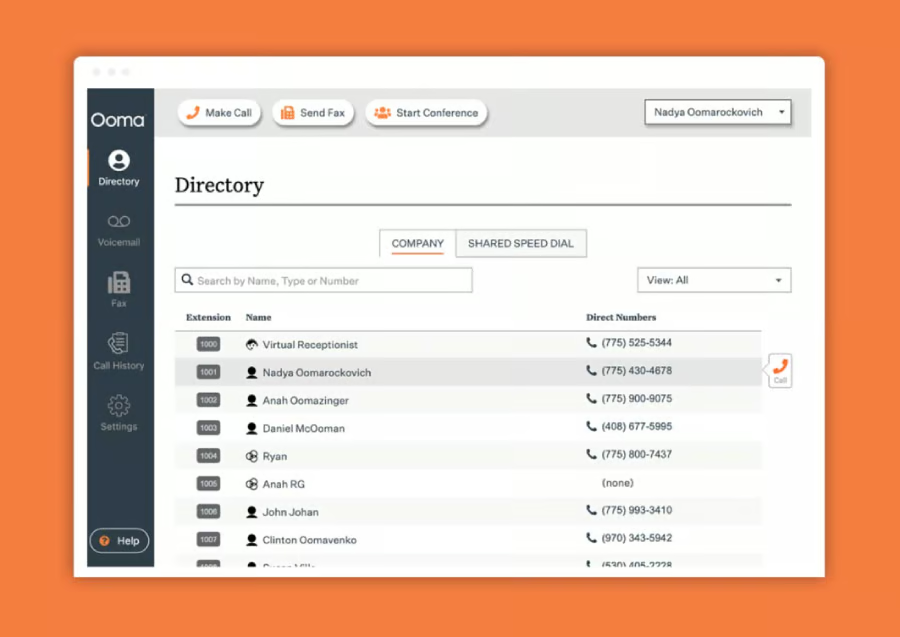
- Intuitive virtual receptionist builder.
- Pre-configured devices for easy setup.
- Complimentary toll-free or local number.
- Unlimited calling in all of North America.
- Texting, video, and team chat on higher tiers.
Pros and cons
Pros
- Simple setup for small businesses
- Affordable monthly pricing
- Virtual receptionist and mobile app access
- Good fit for office-based teams
- Higher tiers add video, SMS, analytics, and integrations
Cons
- Less advanced than enterprise UCaaS platforms
- Limited integration depth compared with RingCentral
- Advanced analytics require higher tiers
- Not ideal for complex contact center needs
Zoom Phone: Best for videoconferencing
Why I chose Zoom Phone

I chose Zoom Phone as the best UCaaS provider for videoconferencing because it connects business calling with Zoom’s familiar meetings and collaboration ecosystem. Organizations already using Zoom can add cloud phone service while keeping calls, meetings, team chat, contacts, and administration within the same platform.
Zoom Phone is particularly useful for video-first and hybrid organizations that want employees to move easily between phone calls and Zoom meetings. Businesses can purchase phone service separately or choose a Zoom Workplace + Phone bundle. However, a phone-only plan does not automatically include all the capabilities of a paid Zoom Workplace subscription.
Check out our full Zoom Phone review if you are unfamiliar with its UCaaS capabilities.
Pricing
Zoom Phone offers phone-only plans as well as Zoom Workplace + Phone bundles.
- U.S. & Canada Metered: Starts at $10.50/user/month
- U.S. & Canada Unlimited: Starts at $16/user/month, billed annually
- Global Select: Starts at $25/user/month
- Zoom Workplace + Phone bundles: Pricing varies by plan
Key features
- Zoom Meetings, team chat, and phone service in one ecosystem.
- Call-to-meeting handoff for moving voice calls into video meetings.
- AI Companion for supported meeting and productivity workflows.
- Auto attendants, IVR, and call queues.
- Call recording, voicemail transcription, and call monitoring.
- Hot desking and shared phone support.
- Mobile and desktop apps for hybrid teams.
Pros and cons
Pros
- Strong video meeting experience
- Familiar interface for many users
- Flexible phone plans
- Easy call-to-meeting handoff
- Good fit for hybrid and remote teams
Cons
- UCaaS bundles can be harder to compare than phone-only plans
- Not as deep as some enterprise phone systems
- CRM and contact center needs may require add-ons or integrations
8×8: Best for international calls
Why I chose 8×8

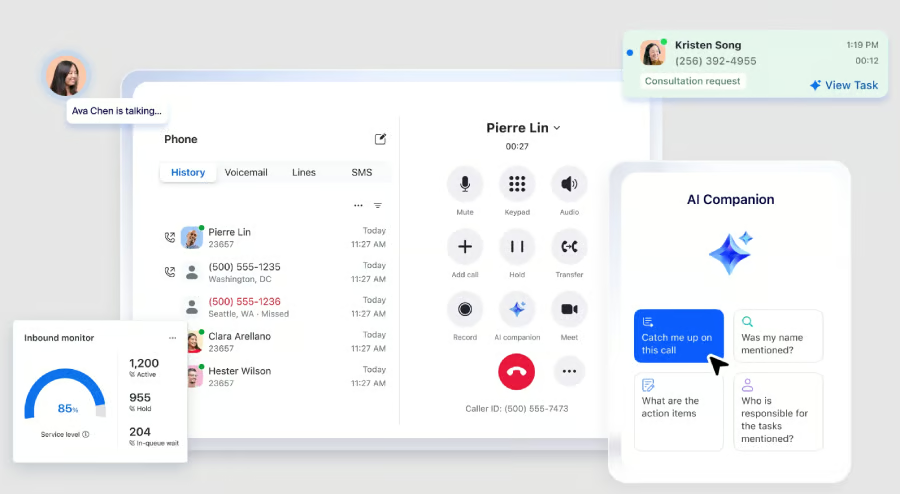
I chose 8×8 for international calls because it is built for organizations that need global communication across voice, video, messaging, and contact center workflows. It is especially useful for businesses with international teams, customers, or offices that need more than a domestic VoIP plan.
8×8 is also a strong option for teams that want a UCaaS platform with a contact center upgrade path. It may take more effort to configure than simpler systems, but its depth in global calling, security, analytics, and communications makes it a strong fit for companies with complex international needs.
To learn more, read our 8×8 review.
Pricing
8×8 does not publish standard US pricing for 8×8 Work. Businesses must request a custom quote based on their number of users, locations, calling requirements, and selected capabilities.
Organizations can mix and match licenses and services across:
- 8×8 Work: Unified calling, meetings, messaging, and collaboration
- 8×8 Engage: Customer engagement and team-lead capabilities
- 8×8 Contact Center: Omnichannel contact center tools
- 8×8 for Microsoft Teams: Calling and contact center integrations for Teams
- Demo: Available upon request
Key features
- Unlimited international calling to select countries on eligible plans.
- Voice, video, chat, fax, and team messaging.
- Multi-level auto attendant and call routing.
- Contact center upgrade path.
- Call monitoring, analytics, and reporting.
- Security and compliance features for regulated teams.
- Mobile and desktop apps for distributed users.
Pros and cons
Pros
- Strong fit for global communication
- Combines UCaaS and contact center capabilities
- Supports voice, video, chat, fax, and messaging
- Useful security and compliance features
- Good option for international teams
Cons
- Pricing is not fully transparent
- Setup can be more complex than simpler providers
- Requires a sales consultation to compare costs and capabilities
Dialpad: Best for AI-powered communication
Why I chose Dialpad

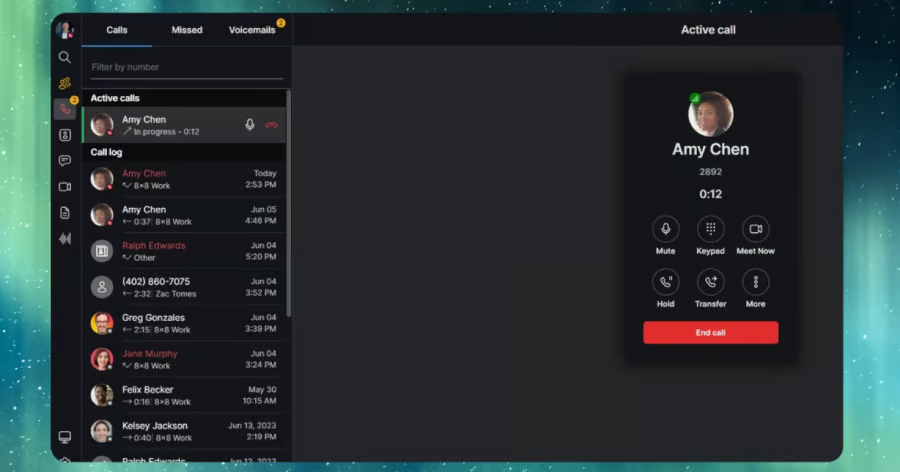
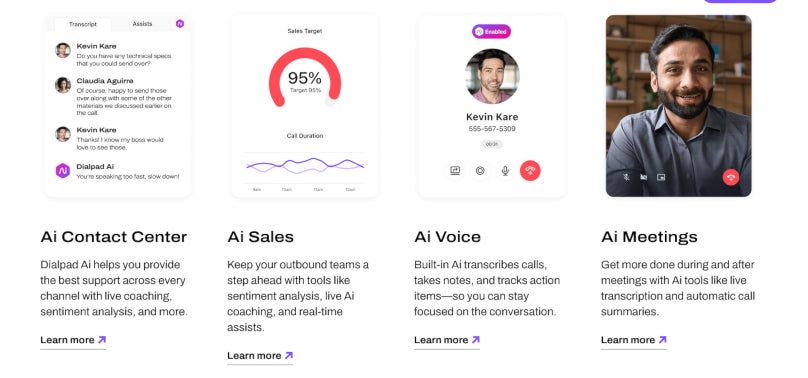
Dialpad is my pick for AI-powered communication because it integrates AI directly into its calling, messaging, meeting, and voicemail workflows. It is a strong option for teams that want real-time transcription, voicemail summaries, call summaries, action items, and post-call insights without relying on separate AI tools.
Dialpad is especially useful for remote, hybrid, and customer-facing teams that want searchable conversation records and faster follow-up. Its entry-level plan offers a strong collection of AI and communication features for small teams, while Pro adds CRM integrations, 24/7 support, and multi-office management. However, businesses primarily focused on large video events or complex contact center operations may need additional Dialpad products.
Read our review of Dialpad for more details.
Pricing
- Standard: $27/user/month, or $15/user/month billed annually
- Pro: $35/user/month, or $25/user/month billed annually
- Enterprise: Custom pricing
- Free trial: 14 days
Key features
- Real-time AI call transcription.
- AI-generated call summaries and action items.
- Voicemail transcription and voicemail summaries.
- Post-call insights for follow-up and coaching.
- Voice, video, team messaging, and SMS.
- Call routing, call forwarding, and analytics.
- CRM and productivity integrations on higher tiers.
Pros and cons
Pros
- Strong AI transcription and summary features
- Affordable annual starting price
- Easy cloud-based setup
- Good fit for remote and hybrid teams
- Includes voice, video, messaging, and analytics
Cons
- Video meeting capacity is limited to 150 participants
- Some integrations require higher-tier plans
- Lower-tier support is more limited
More about VoIP
How do I choose the best UCaaS provider for my business?
The best place to start is assessing your current communication tools and processes. Along the way, you’ll be able to identify gaps or pain points, like poor call quality, high operational costs, or inadequate security features. From there, you can look for a UCaaS solution that addresses these issues and offers scalability for future growth.
After you’ve shortlisted a handful of providers, check reviews to evaluate reliability, customer support, and integration capabilities with your existing tools.
A free trial can also be invaluable for testing usability and ensuring the platform meets your expectations.
Beyond that, a personalized demo can give you a good idea of what the solution looks like in action and allow you to ask as many questions as you need to determine whether it’s the right fit.
Methodology
I relied heavily on my personal experience in the business communications category, as well as a large body of publicly available reviews, case studies, and other online resources to support my own experiences.
Overall, my goal was to gather relevant information on each provider’s real-world performance, customer satisfaction, and overall quality.
Here’s a closer look at what I considered when putting this guide together.
- Features, functionality, and capabilities: The breadth and quality of features offered by each UCaaS solution were crucial. I specifically sought providers that offer comprehensive toolsets to meet a wide range of communication needs.
- Ease and depth of integration: I carefully considered the quality, depth, and execution of each provider’s integrations with other business tools. Simply having a large list of integrations isn’t enough. Strong connections with CRM, ERP, and collaboration tools were the bare minimum for inclusion in this post.
- Pricing structure: To include a range of tools for businesses of different sizes, I chose platforms that span the price spectrum.
- System reliability: Dependable service with minimal downtime is huge for any business. I favored providers with a strong track record of reliability and uptime.
- Security and compliance: The best UCaaS provider gives you peace of mind. As such, I prioritized providers that demonstrate a strong commitment to security and regulatory compliance.
- Customer support: Access to responsive, helpful customer support was a minimum requirement for inclusion on my list, as it’s vital that businesses can get assistance when they need it.
Frequently asked questions (FAQs)
What is the best UCaaS provider?
I chose RingCentral as the best UCaaS provider overall because it combines business calling, video meetings, team messaging, SMS, fax, AI tools, analytics, reliability, and 500+ integrations into a single platform.
What is the difference between UCaaS and VoIP?
VoIP is an internet-based phone service, while UCaaS is broader. UCaaS usually includes VoIP plus video meetings, team messaging, SMS, fax, analytics, integrations, and collaboration tools.
How much does UCaaS cost?
UCaaS pricing varies by provider and plan. Entry-level plans often start around $15 to $30 per user per month, while advanced plans with analytics, AI, contact center tools, international calling, or enterprise administration cost more. Our VoIP pricing guide explains the additional hardware, setup, add-on, and usage-based expenses buyers should consider.
What should I look for in a UCaaS provider?
Look for business calling, video meetings, team messaging, SMS, call routing, voicemail, analytics, mobile and desktop apps, integrations, uptime guarantees, security, admin controls, and support quality.







Leave feedback about this